FreeNo subscription. No ads.

The OTP lands on their phone. Authoryx puts it on yours.

Share OTPs with family, your CA or your team, automatically, and only with people you invite.

  • 15 minutes, then a code is gone
  • Encrypted in transit and at rest
  • Invite-only circles

What Authoryx does.

Four steps, and none of them is a phone call.

  1. ICICI · 592614

    A code lands on their phone.

    An OTP arrives on a phone in your circle: a parent's, your CA's, a teammate's.

  2. Filter · card OTPs

    Their filter decides.

    Only messages that match the filters they set get shared. Everything else stays on their phone.

  3. Arjun → you · now

    It shows up on yours.

    In seconds, in Authoryx, with who shared it and when. No calls, no screenshots.

  4. 15:00 → 00:00

    Then it is gone.

    A shared code can be opened for 15 minutes. After that it stops appearing for anyone in the circle — an old code is no use to a stranger.

For the moments you'd otherwise call someone.

Swipe through them, or let them play.
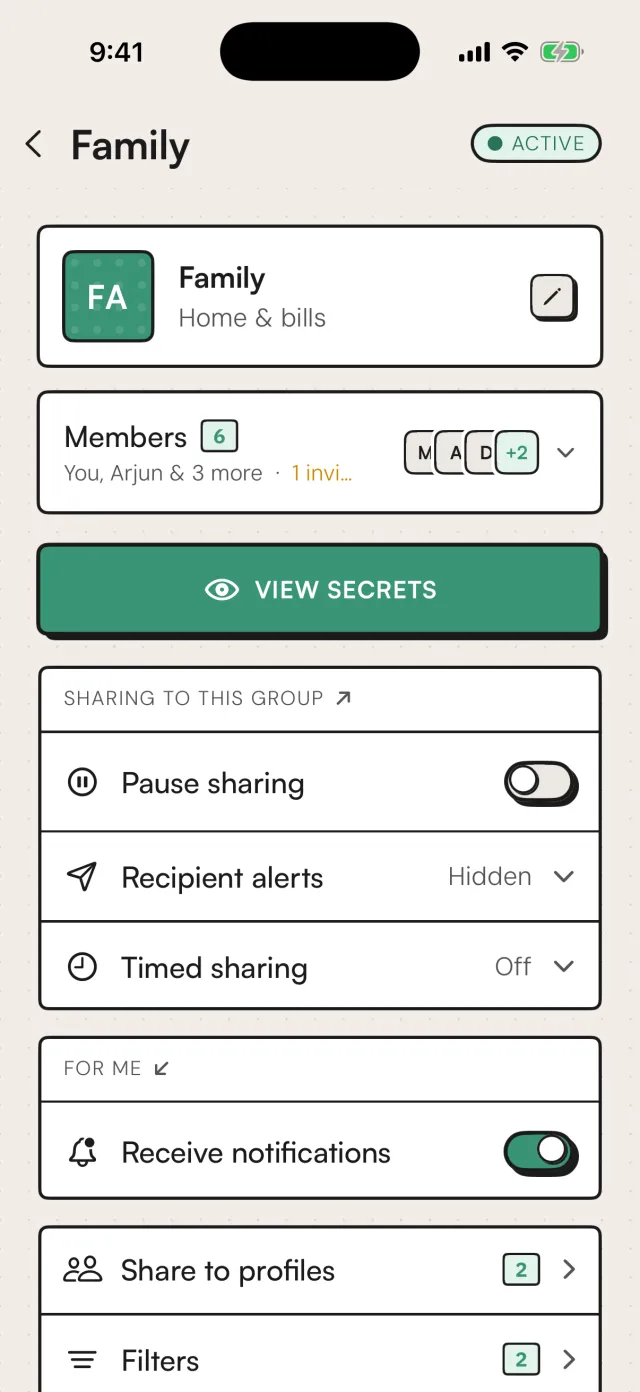
  • The Family circle in Authoryx: six members including Arjun, sharing active, and a View Secrets button

    Circles

    The discount is on a friend's card.

    Sale day, their card, their phone. The OTP reaches you the second it lands — no calling around while the deal sells out.

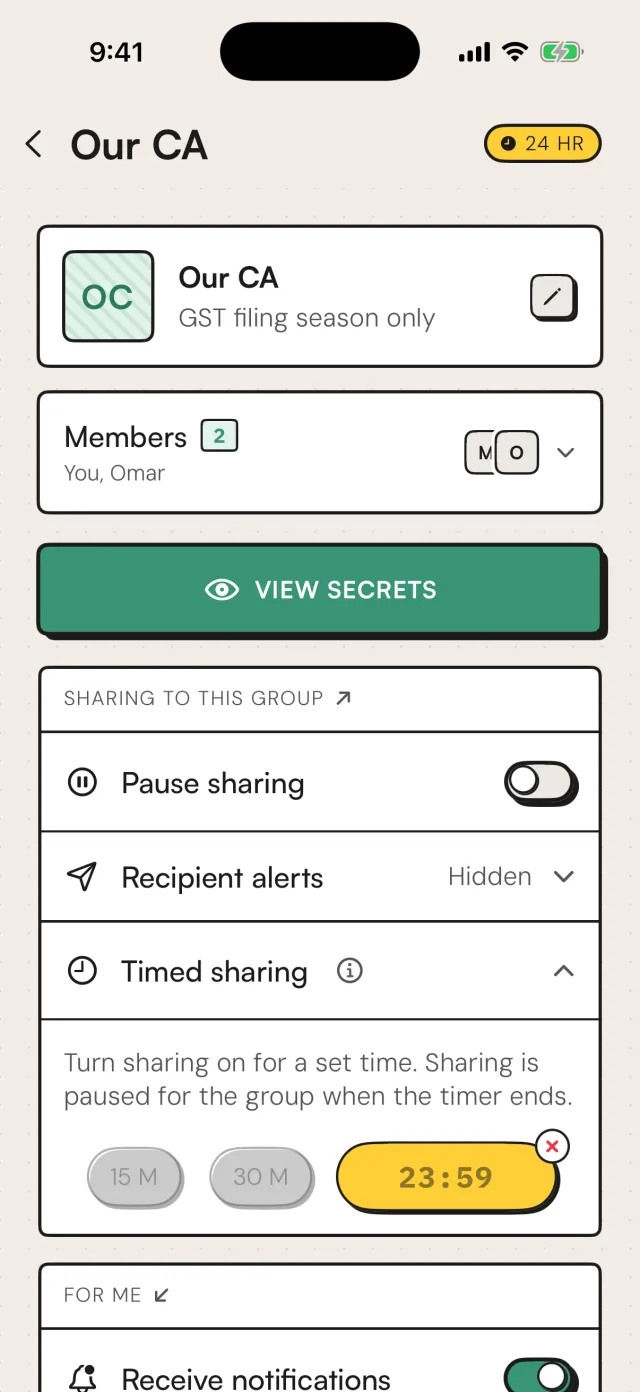
  • The Our CA circle with timed sharing running, 23:59 left on a 24 hour timer

    Timed sharing

    Your CA, for filing week only.

    Share GST and income-tax OTPs with your accountant for 24 hours. When the timer runs out, sharing pauses on its own.

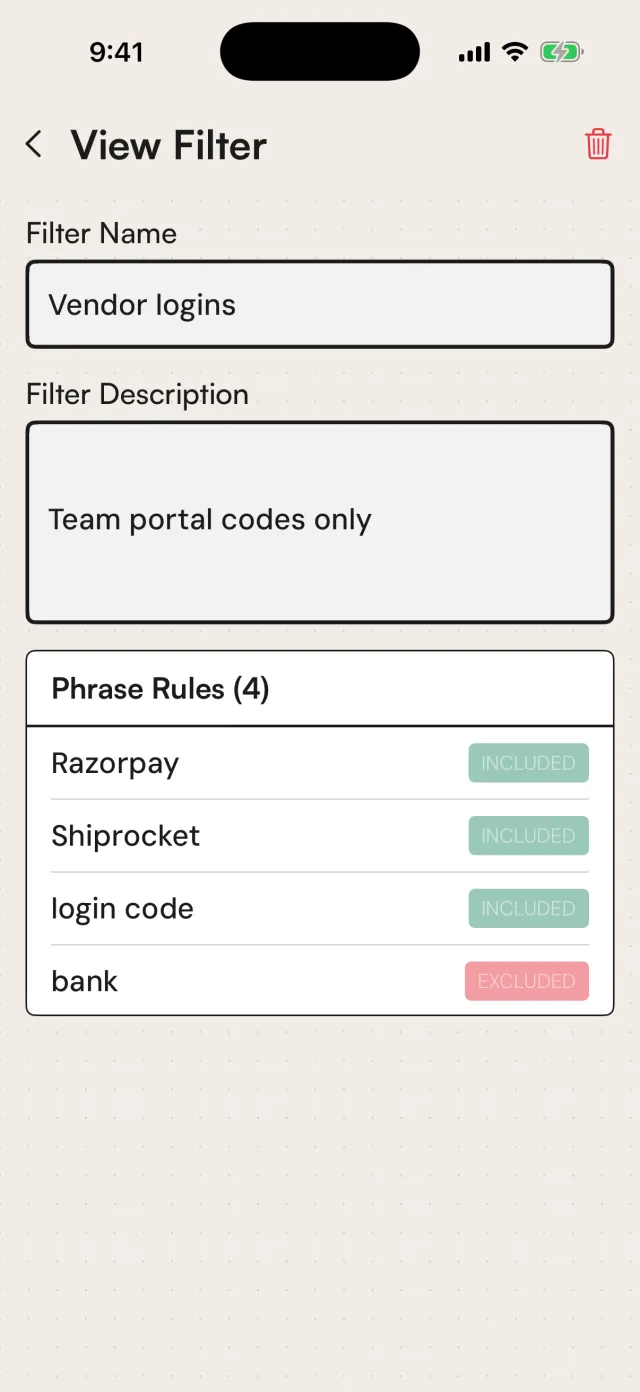
  • A filter named Vendor logins that includes Razorpay, Shiprocket and login code, and excludes bank

    Filters

    Your team gets the right codes. Only those.

    Vendor-portal login codes go to the team. Anything from your bank is filtered out and never reaches them.

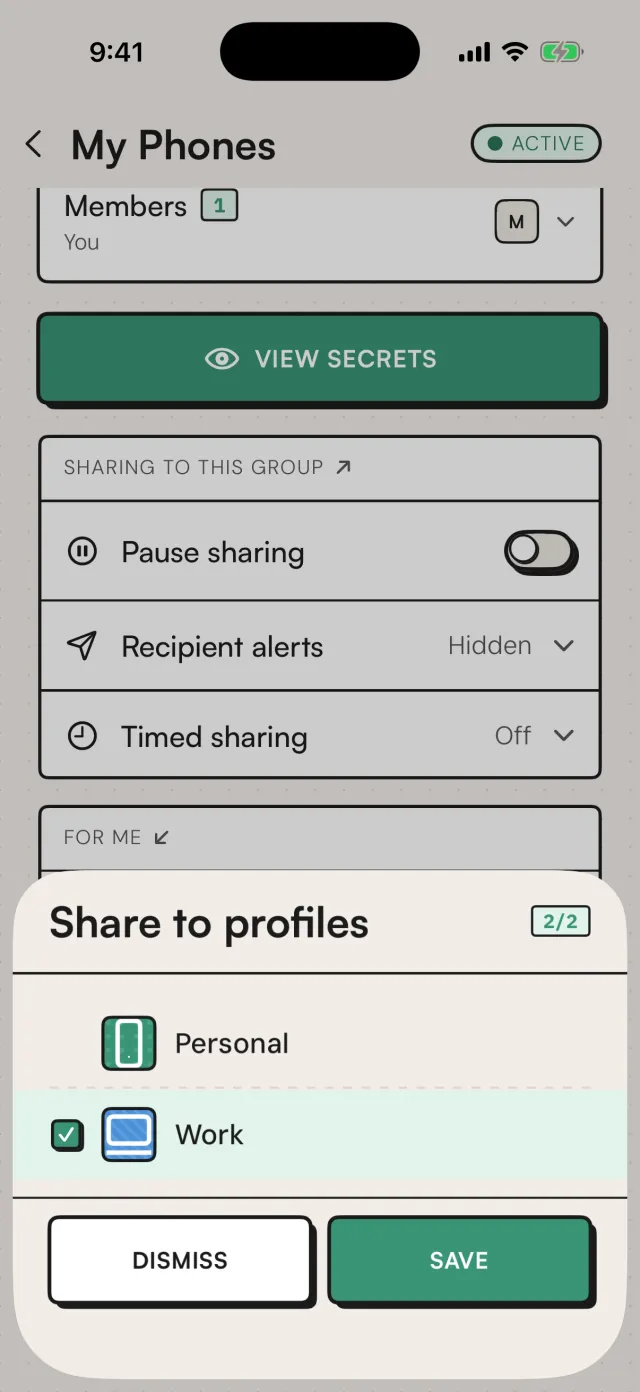
  • Share to profiles sheet with the Personal and Work profiles selected

    Profiles

    Two phones. One set of OTPs.

    Personal and work phone both get every code, so you stop hunting for the device the message went to.

You decide who sees a code. Every time.
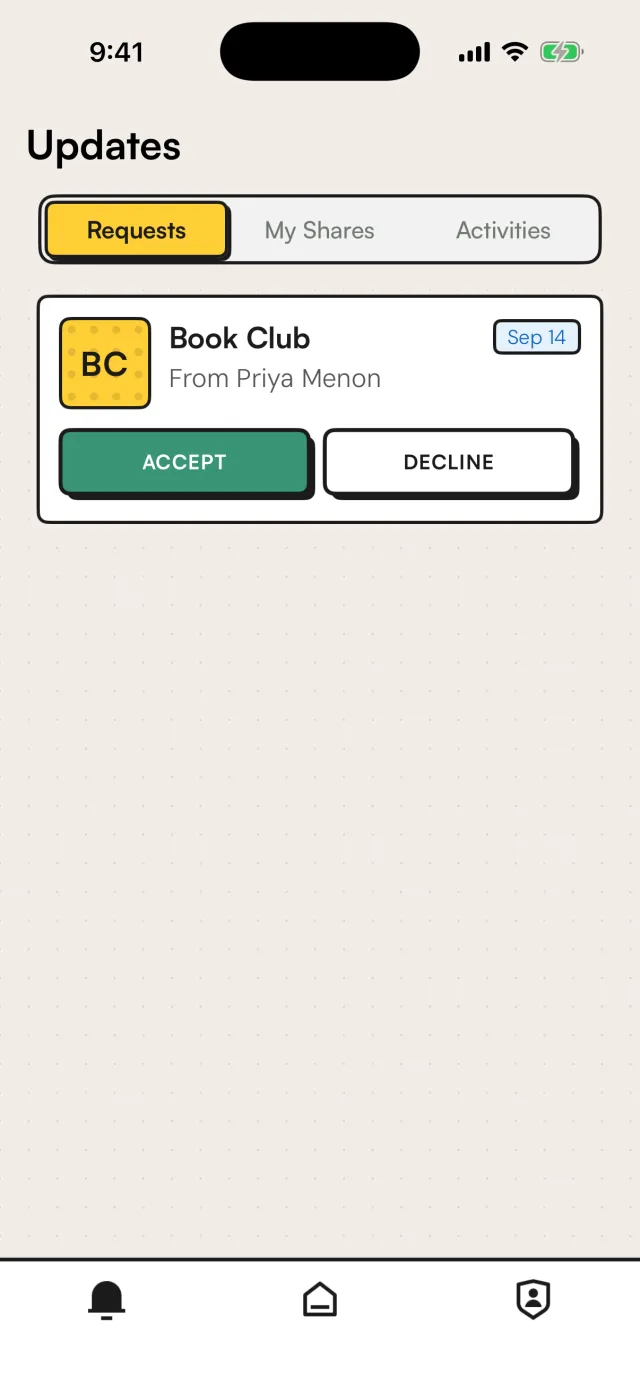
  • An invite to the Book Club circle from Priya Menon, with Accept and Decline buttons

    Invite-only

    Nobody gets a code until they accept.

    People join a circle only when you invite their phone number and they accept. Nobody can add themselves.

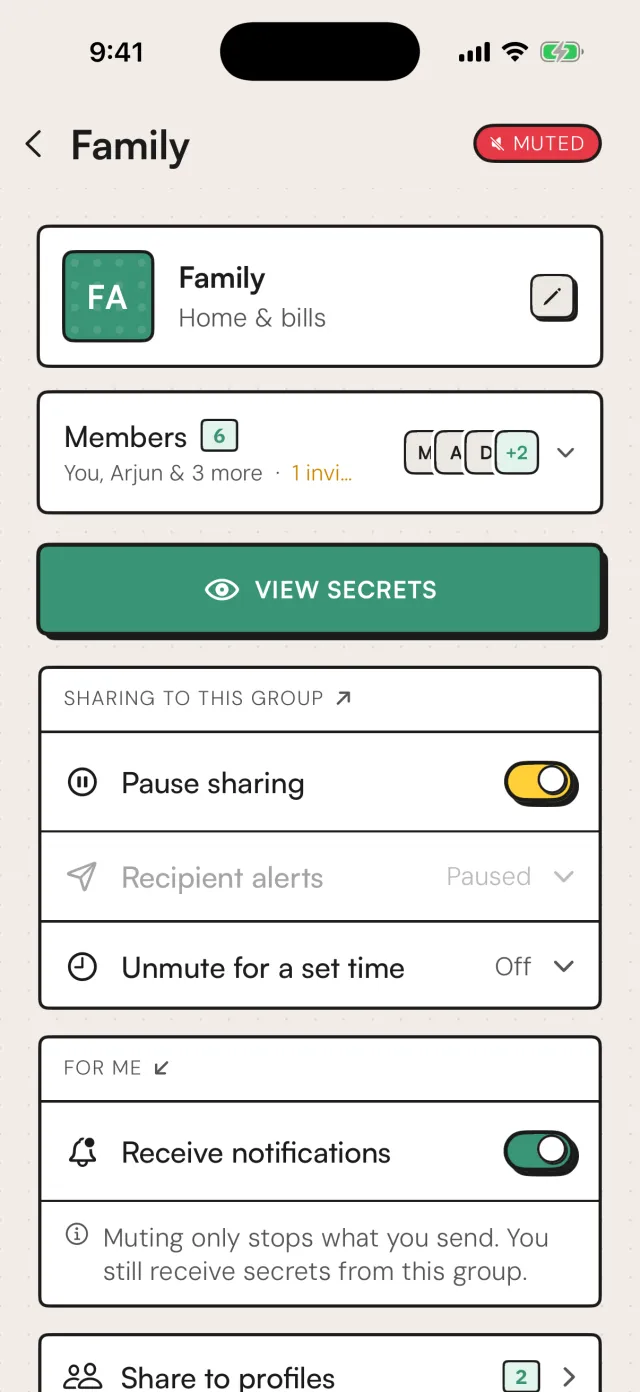
  • The Family circle muted: the pause sharing switch is on and the header shows a MUTED badge

    Pause

    Mute a circle in one tap.

    Sharing to that circle stops instantly. You still receive what they share — muting only stops what you send.

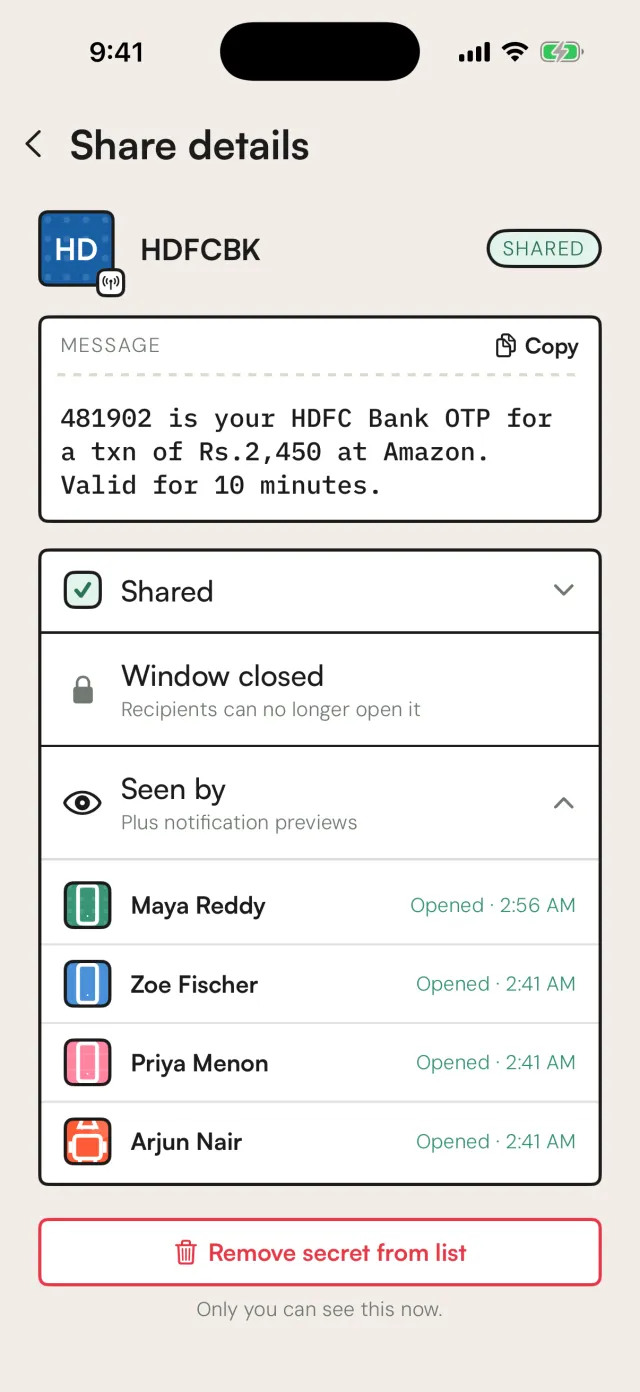
  • Share details for an HDFC Bank OTP, seen by Maya, Zoe, Priya and Arjun with the time each opened it

    Seen by

    See who opened every code.

    Each share lists who viewed it and when, so you always know where a code went.

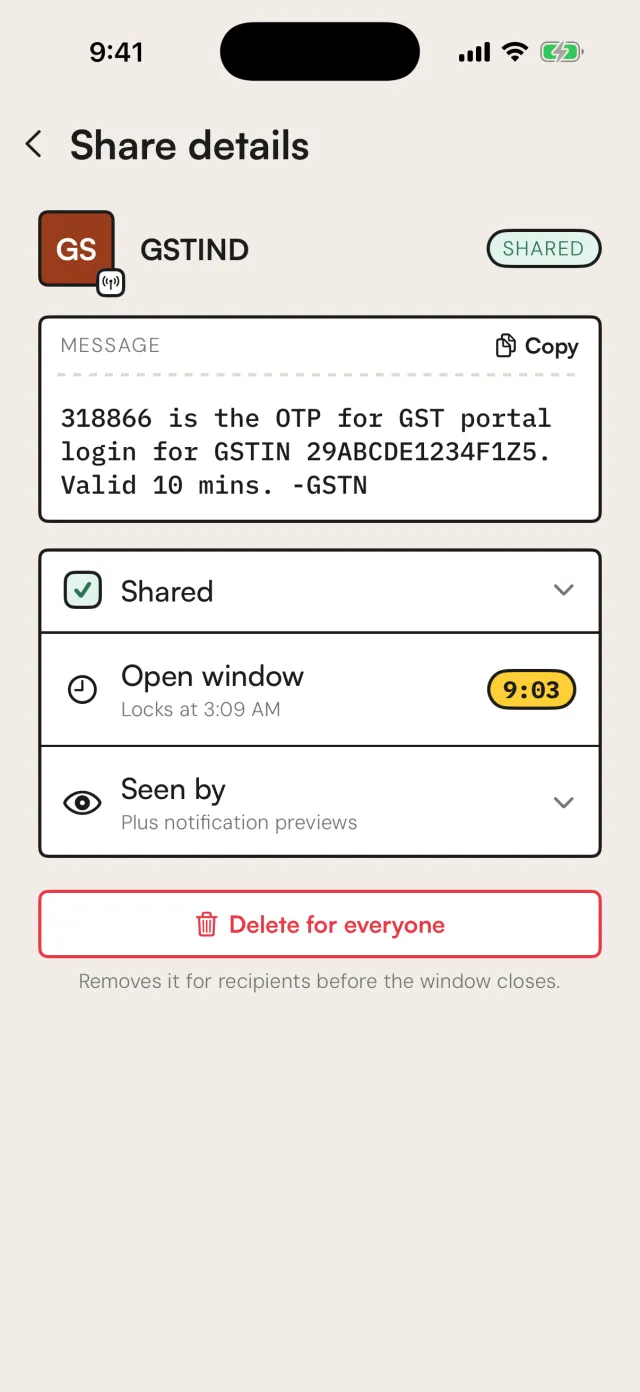
  • Share details for a GST portal OTP with the open window timer and a Delete for everyone button

    Take it back

    Delete a code for everyone.

    Changed your mind? Remove a share for every recipient before its window closes.

  • ₹0

    The whole app is free.

    Every circle, every filter, on both platforms. No subscription, no trial that ends.

  • Codes travel encrypted.

    HTTPS on every request, and encrypted storage on our servers. Never used for advertising or profiling.

  • Only people you invite.

    Someone joins a circle when you invite their number and they accept. Mute or leave whenever you like.

  • 15min

    Codes expire on their own.

    A shared code can be opened for 15 minutes. After that it is gone from the circle, whether anyone looked or not.

Banks never ask for your OTP. Never share a code with someone who calls or texts you. Authoryx only shares with people you add yourself.

Set up in about a minute.

  • The Authoryx app icon

    Step 1

    Download Authoryx

    Free on iPhone and Android. Sign up with your email and verify your number.

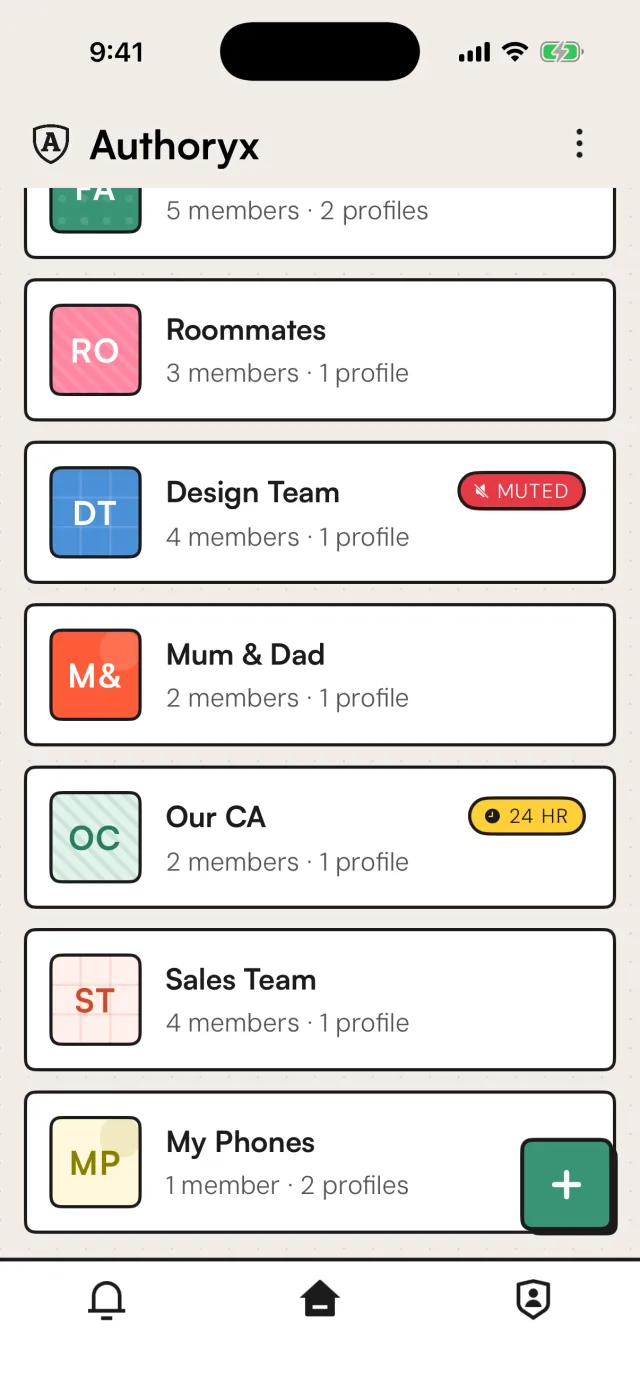
  • The circles list: Family, Roommates, Design Team, Mum and Dad, Our CA, Sales Team and My Phones

    Step 2

    Create a circle

    Family, your CA, your team. Invite people by phone number; they join when they accept.

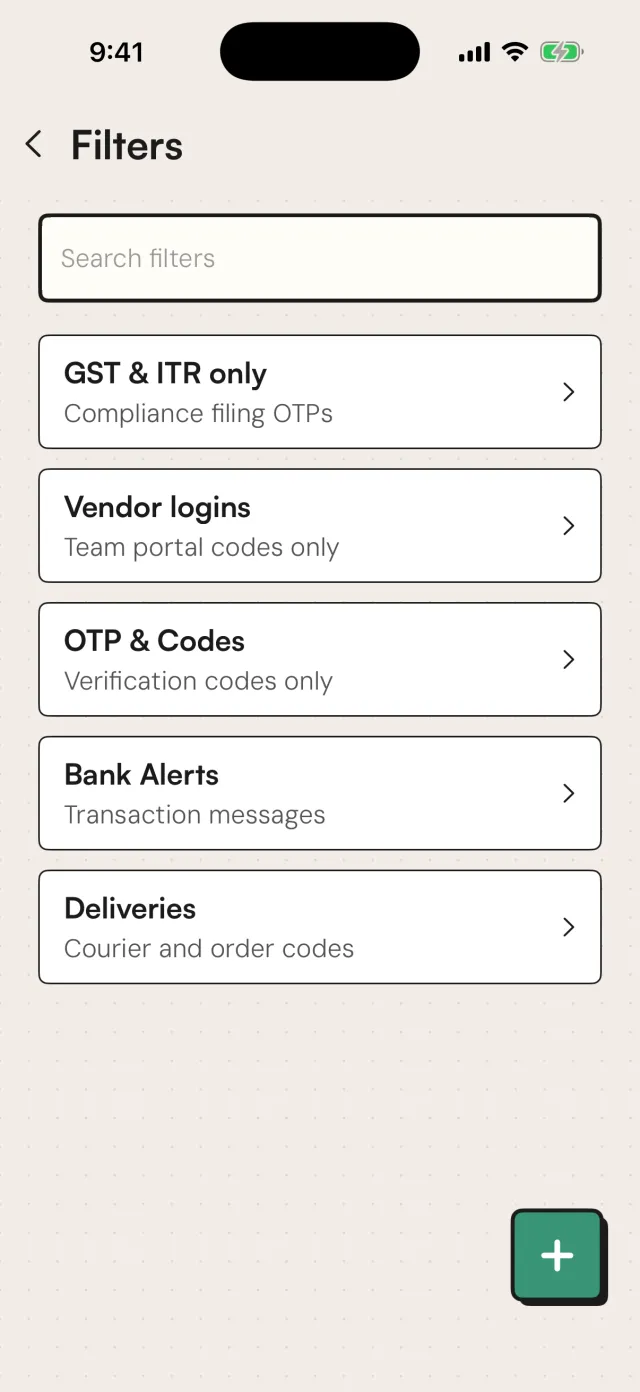
  • The filters list: GST and ITR only, Vendor logins, OTP and Codes, Bank Alerts and Deliveries

    Step 3

    Choose what gets shared

    Everything, only codes that match a filter, or only for a set time. Change it whenever you like.

Get Authoryx. It's free.

On iPhone and Android. Your first circle takes about a minute.

Free · Encrypted · Invite-only · Codes gone in 15 minutes